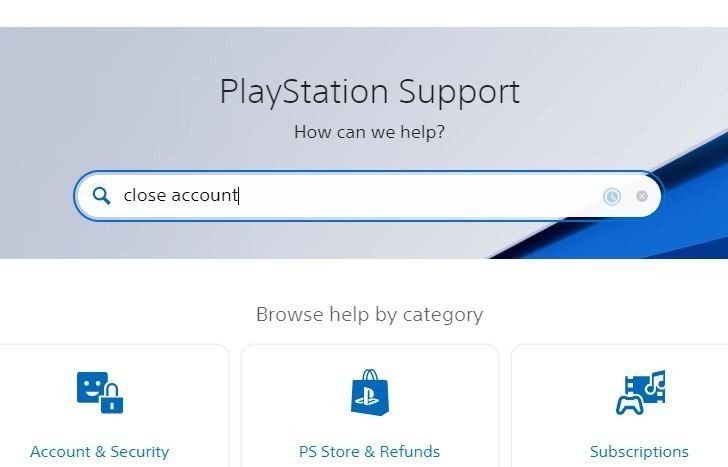
When you decide to exit the PlayStation ecosystem, the thought of Closing Your PlayStation Network (PSN) Account Permanently isn't just about deleting an app or unsubscribing from a service. It's a significant, often irreversible, decision that severs your digital ties to a vast universe of games, friends, and personal progress. Before you hit that nuclear option, it's critical to understand exactly what you're giving up and the permanent consequences that follow.
This isn't a casual unsubscribe button; it's more like relocating to a different country and discarding your old passport. Once your PSN account is permanently closed, there's no going back. Digital purchases vanish, subscriptions cease, and your gaming legacy evaporates. So, pause for a moment, take a deep breath, and let's walk through this process together, ensuring you make the most informed decision possible.
At a Glance: What You Need to Know
- It's Permanent: Account deletion is irreversible. You cannot reactivate it.
- You Lose Everything Digital: All purchased games, DLC, add-ons, and in-game currencies are gone forever, even if installed.
- Wallet Funds Expire: Any remaining balance in your PSN Wallet is typically non-refundable and will be lost. Spend it first!
- Subscriptions End: PlayStation Plus and other linked subscriptions terminate, along with cloud saves.
- Social Data Vanishes: Trophies, friend lists, and messages are no longer accessible.
- Contact Sony Support: The primary method for deletion is contacting PlayStation Support directly.
- Alternatives Exist: Many common issues can be resolved without permanently deleting your account.
Why This Drastic Step? Unpacking Your Reasons
People consider closing their PSN account for a multitude of reasons. Perhaps you've outgrown gaming, or maybe life simply took a different turn. It could be due to privacy concerns, a desire for a digital detox, or even a frustration with the service itself. Some users might be trying to "clean house" after selling their console, unaware that deleting a local user profile isn't the same as obliterating their entire PSN identity.
Whatever your motivation, acknowledging its gravity is the first step. For many, a PSN account represents years of gaming, countless memories, and a significant financial investment in digital content. Understanding the full scope of what you stand to lose is paramount before proceeding.
The Irreversible Impact: What Happens When Your PSN Account is Gone
Let's not sugarcoat it: closing your PSN account permanently is a digital scorched-earth policy. When the deed is done, the changes are immediate and profound.
No More PSN Access
This is the most obvious consequence. Your sign-in ID (your email address) and online ID (your gamertag) will no longer function within the PlayStation Network. You won't be able to log in to your console, the PlayStation App, or the PlayStation website using that account. This means:
- No Online Play: Multiplayer gaming for any title will be off-limits.
- No PSN Store Access: You can't browse, purchase, or redownload content.
- No Messaging or Parties: Your connection to friends and the PSN community is severed.
- No Account Management: You won't be able to access settings, payment methods, or any other account-specific information.
Digital Content Evaporation: Say Goodbye to Your Library
This is often the hardest pill to swallow for many users. Every single digital purchase ever made on that account—games, downloadable content (DLC), add-ons, season passes, in-game currencies (like V-Bucks or Apex Coins), themes, avatars, and movies—is permanently tied to that specific account. Once the account is deleted:
- Unplayable Content: Even if games or DLC are still installed on your console, they will become unplayable as they can no longer verify ownership with the deleted account.
- No Transfers: There is absolutely no way to transfer digital content or licenses from a deleted account to another PSN account, even if it's your new one. This is a critical point that many overlook.
- Re-purchasing Required: If you ever wanted to play that content again, you would have to create a new PSN account and re-purchase everything from scratch.
PlayStation Plus & Cloud Saves: Your Progress Disappears
If you're a PlayStation Plus subscriber, closing your account means:
- Subscription Termination: Your PS Plus membership (and any other active subscriptions like PS Now or EA Play) will immediately end. Any remaining time on the subscription is forfeit and generally not refundable.
- Cloud Save Loss: Access to your valuable cloud saves, which back up your game progress, will be lost. This means years of progress in your favorite games could vanish unless you've manually backed up saves locally. For many, losing hundreds of hours of game progress is a deal-breaker.
- Free Monthly Games: Any games claimed through PS Plus that are still tied to your account will, naturally, also become unplayable.
Wallet Balance: A Non-Refundable Farewell
Any funds you've loaded into your PSN Wallet are typically non-refundable. Once your account is deleted, that balance is gone. This is why spending any remaining balance before initiating the deletion process is a non-negotiable step. Don't let your hard-earned cash disappear into the digital ether. Understanding PlayStation Wallet funds can help you manage these before they're lost.
Trophies & Social Data: Your Gaming Legacy Erased
Your entire social footprint within the PSN community will be erased:
- Trophy Collection: All your hard-earned trophies, platinum or otherwise, will be permanently gone. Your trophy level, a testament to your gaming prowess, will vanish.
- Friend List: Your entire friend list will be deleted. Any messages exchanged with friends will also be inaccessible.
- Community Data: Other community data, like activity feeds or groups, will no longer be available.
Linked Child Accounts: A Family Matter
If you are a family manager for child accounts on PSN, deleting your primary account has significant ramifications. You'll need to review and adjust your family setup before proceeding. Child accounts might lose their manager, potentially impacting their access or ability to make purchases. Ensure you understand this impact and make necessary arrangements (like transferring management if possible) beforehand.
Data Retention: A Caveat
While your account is functionally deleted, Sony, like most companies, may retain some data for a period. This is typically for legal, accounting, or fraud prevention reasons and doesn't mean your account still "exists" in a usable form for you. It's a standard business practice for data compliance.
Your Pre-Deletion Checklist: Don't Skip These Steps
Before you even think about contacting Sony, take a methodical approach. This checklist will help you mitigate some of the losses and ensure a smoother (though still final) exit.
- Gather Your Account Information: You'll need your Sign-in ID (email address), Online ID (gamertag), and any security information you've added (like answers to security questions). Write them down somewhere safe.
- Spend Your PSN Wallet Balance: Seriously, spend it all. Buy a game, some DLC, or anything else you might conceivably want. Remember, once the account is gone, that money is gone too.
- Cancel All Subscriptions and Note End Dates: Turn off auto-renewal for PlayStation Plus, PlayStation Now, and any other linked subscriptions. While the deletion will terminate them, canceling first prevents any accidental renewals and gives you a clear understanding of what you're losing. This is part of managing your PS Plus subscriptions effectively.
- Back Up Your Game Saves: This is crucial!
- Cloud Saves (PS Plus): If you have PS Plus, your saves are likely in the cloud. However, once your account is deleted, you lose access.
- USB Drive: Manually copy critical game saves to a USB drive from your console. This is the only way to preserve them if you plan on creating a new account later and wish to resume some progress (though not all games support importing saves from a different account).
- Deactivate Your Primary Console and Sign Out of All Devices:
- Primary PS4/PS5: Go to
Settings > Account Management > Activate as Your Primary PS4/PS5and selectDeactivate. This frees up the console for use with other accounts or if you plan to sell it. - Other Devices: Sign out of the PlayStation App on your phone/tablet and any web browsers where you might be logged in.
- Review Family and Child Accounts: If you are a family manager, understand how deleting your account will affect any child accounts under your supervision. Make arrangements to transfer management if possible, or ensure the child accounts can still function as needed.
- Update Security Details (Optional but Recommended): Change your email address and password one last time, and ensure two-factor authentication (2FA) is enabled. This is more of a general good practice for safeguarding your PlayStation account before you completely abandon it, ensuring no lingering vulnerabilities.
- Factory Reset Devices You Plan to Sell or Give Away: If you're selling your PS4 or PS5, a full factory reset is essential. This wipes all personal data, accounts, and games from the console, protecting your privacy. This is different from simply deleting your PSN account. For a detailed walkthrough on console deletion, refer to our guide to deleting PS4 accounts.
How to Officially Request PSN Account Closure
Unlike many online services that offer a self-service "delete account" button, PlayStation Network requires you to go through Sony's customer support channels. This extra step ensures you've considered the ramifications and allows for identity verification.
1. Contact PlayStation Support
This is the primary method for initiating account deletion. Sony needs to verify your identity before proceeding.
- Gather Information: Have your Sign-in ID (email) and Online ID (gamertag) ready. You may also need to provide security answers or other identifying information to confirm you are the account owner.
- Choose Your Method:
- Live Chat: Many regions offer live chat support. Navigate to your regional PlayStation Support website, look for "Account Help" or "PSN Account," and then find the option for "Contact Us" or "Live Chat."
- Phone Support: Call the PlayStation support number specific to your region. A quick web search for "[Your Country] Sony PlayStation support phone number" should provide the correct contact.
- Examples (numbers subject to change, always verify for your region):
- North America (English): 1-800-345-7669
- Europe: 0203 538 2665
- Australia: 1300 13 7669
- Hong Kong: 2341 2356
- Malaysia: 1 800 81 4963
- State Your Request Clearly: Inform the support agent that you wish to permanently close your PlayStation Network account. They will guide you through the verification process.
- Confirmation and Finalization: Once your identity is confirmed and the request is approved, your account will be queued for permanent closure. Expect some processing time, which can vary based on the verification needed. This process is final and cannot be reversed.
2. Option in the PlayStation Family App (for Family Managers)
If you are a family manager, some sources indicate an option to "Close account" may be available at the bottom of the settings within the PlayStation Family App. If this option is present for you, follow the on-screen steps. However, contacting support remains the most consistently reliable method for all users.
Safer Alternatives to Permanent Deletion
Many problems can be solved without resorting to the nuclear option of permanent account deletion. Before you commit, consider these less drastic alternatives that carry far less risk:
- Cancel Subscriptions, Not the Account: If you just want to stop paying for PS Plus or other services, simply turn off auto-renewal in your account settings. You can still access your digital library and trophies.
- Device Management and Console Sharing:
- Selling a Console: If you're selling a PS4 or PS5, don't delete your PSN account! Instead, deactivate it as your primary console and perform a factory reset. This wipes all local data but preserves your account and digital purchases for future use.
- Sharing with Family: If you want to share games within your household, console sharing on a single console is the supported method, not sharing or selling accounts.
- Security Check-Up: If your concern is security (e.g., you think your account might be compromised), focus on strengthening it. Change your email address and password immediately, enable two-factor authentication (2FA), and remove any saved payment methods. Review your notification settings. If you've lost your password, there are ways of recovering lost PSN passwords without deleting your account.
- Privacy and Peace of Mind: Feeling overwhelmed by notifications or unwanted contacts? Adjust your privacy and visibility options in your account settings. Block or report abusive contacts, mute notifications, and tailor your online experience without deleting your entire gaming history.
- Region Change or Fresh Start: PSN does not support changing the region of an existing account. If you need a different region for geo-specific content or pricing, the solution is to create a new account for that region. Keep your old account for access to your existing purchases; you can have multiple accounts on a single console. There's no need to delete your primary account just to start fresh in a new region.
Burning Questions: FAQ About PSN Account Deletion
Let's tackle some of the most common questions and clear up any lingering confusion.
Will I lose my games?
Yes, absolutely. All digital purchases—games, DLC, add-ons, in-game currencies—are permanently tied to your account. Once your account is deleted, you cannot download or play them, even if they're still installed on your console. Disc versions of games will generally still work as long as they don't require an online PSN verification.
Can I give my account away or sell it?
No. Sharing, transferring, or selling PSN accounts or credentials is strictly against Sony's Terms of Service. Doing so can lead to permanent bans for both the original account holder and the recipient. The only supported way to share purchases is through console sharing on a single console within your household.
Can I reactivate my account later?
No. Once your PSN account is permanently closed, it cannot be restored or reactivated. This is why the decision needs to be made with full awareness and consideration of the alternatives.
How long does the deletion process take?
The actual processing time can vary. It depends on the verification steps needed and Sony's internal procedures. You should expect some processing time, especially if extra checks are required to confirm your identity.
What's the difference between deleting a local user and deleting my PSN account?
Deleting a local user profile from your console only removes that profile and its associated data from that specific console. It does not affect your broader PSN account or digital purchases. Deleting your PSN account, on the other hand, permanently eradicates your entire online identity and all associated content from the PlayStation Network, regardless of which console you used. If you're selling a console, focus on deactivating it as primary, signing out, and factory resetting the device, not deleting your PSN account.
Can I get a copy of my data first?
Yes, you can request a copy of your personal data held by Sony. This is usually done through your regional PlayStation privacy portal or by contacting support. Separately, you should manually back up your game saves to a USB drive if you want to preserve them.
What about my wallet balance and remaining subscription time?
As mentioned, wallet top-ups are generally non-refundable and will be lost. Subscriptions (like PS Plus) will terminate upon account deletion, and any remaining time is usually forfeited. It's crucial to spend your wallet balance and cancel subscriptions before requesting deletion.
Final Thoughts: Make an Informed Decision
Closing your PlayStation Network account permanently is a big step, akin to erasing a significant chapter of your digital life. It’s not a reversible action, and the loss of digital content, trophies, and wallet funds can be substantial.
Before you make that call to PlayStation Support, take another look at the pre-deletion checklist. Explore the alternatives. Many common issues have simpler, less destructive solutions. If, after careful consideration, you are absolutely certain this is the path for you, then proceed with confidence, knowing you've done your due diligence.